Description
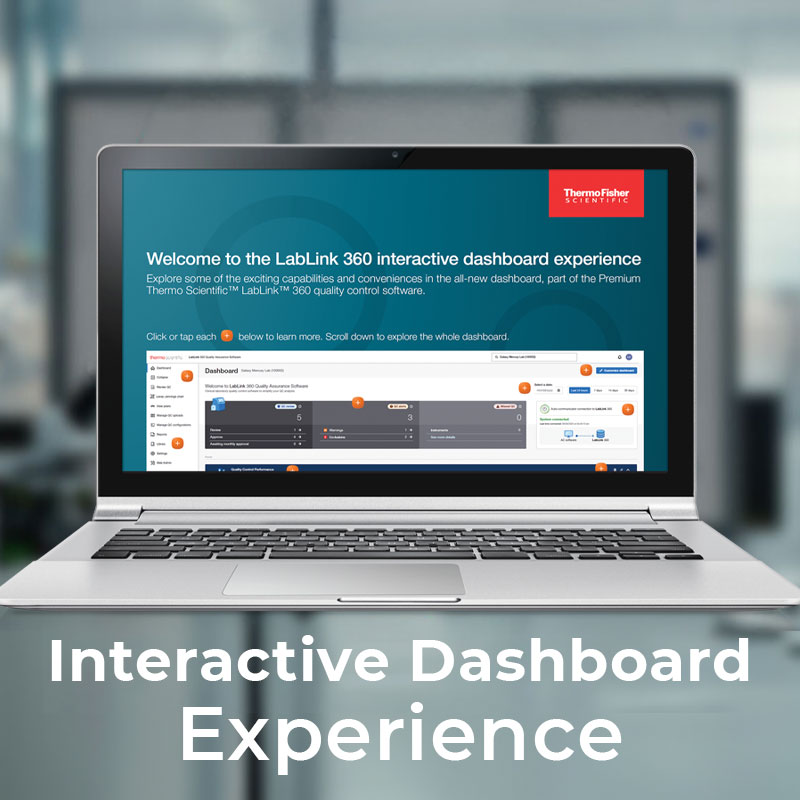
The LabLink 360 Interactive Dashboard Experience is a clickable simulation of the Premium LabLink 360 software interface, covering QC uploads, instrument status, peer comparison, reports, and product lot management. Each panel is tappable with additional detail on interaction.
This is not a separate software product. It is an evaluation tool for laboratories considering an upgrade to LabLink 360.
Features:
- QC Dashboard Overview – QC review status, pending approvals, QC alerts, and missed QC events at a glance
- Quality Control Performance – Laboratory, instrument, and assay-level QC data with six-month trend views for warnings and exclusions
- Instruments Panel – Total instrument count with per-instrument QC result volumes and warning flags
- Assays Panel – Assay and product count with QC result breakdown and warnings per assay
- QC Uploads – Real-time import status for files received via Auto-Communicator, including parser and mapping issue flags
- Documents – Updates to subscribed products and instruments, including new package inserts and safety data sheets
- Product Lots – Lot numbers, product names, and expiry dates with alerts for lots expiring within 90 days
- Reports – Newest generated reports by type: Levey-Jennings, Monthly Summary, Statistical Summary, Method Performance Sigma, and Exception Notes
- Peer Comparison – Access to expert QC resources and on-demand webinar content
- Recommended Products – Suggested MAS QC products based on the configured laboratory
Benefits:
- Explore the full Premium dashboard with no login or installation required
- See the software in a realistic clinical laboratory context before go-live
- Identify which panels and features are most relevant to your daily QC routine
- Share with staff and decision-makers to build alignment before committing to an upgrade